
1. Tax rates in AT are determined based on the location.
2. Plans in AT include taxes in their prices.
3. The plan price should be set up to include the taxes.
For example, if the tax rate is $10 and the plan price is $100, it means that $90 is
the plan price and $10 is the tax rate.
4. Invoicing is available for end users when they purchase a plan.
5. Template and invoice prefixes can be customized in the AT dashboard.
6. The template field in the AT dashboard allows the addition of HTML code for
the invoice, including branding and layout design.
7. When a customer purchases a plan, they can access the downloaded invoice in their profile.
8. Clicking on the downloaded invoice generates a PDF with dynamic order details from their subscription, using the template design specified in the AT settings.
Improvements
Included price breakup for Invoices
Added a new field in invoice and subscription csv file called 'round-off' which will capture any amount that was rounded off when calculating amount paid.

Release Notes: July 9th, 2024
Fix invoice creation issue for payflow renewals
In payment systems that handle recurring charges, the Payflow transaction ID is often used as a payment token. However, since this ID remains the same for all payments in a recurring series, it can cause issues when generating invoices, as the system sees it as a duplicate.
To resolve this, the capture ID can be used as the external transaction ID for each payment. This ensures that each transaction has a unique identifier, preventing invoice creation failures and ensuring smooth processing of recurring charges.
Release Notes: June 2020
What's new
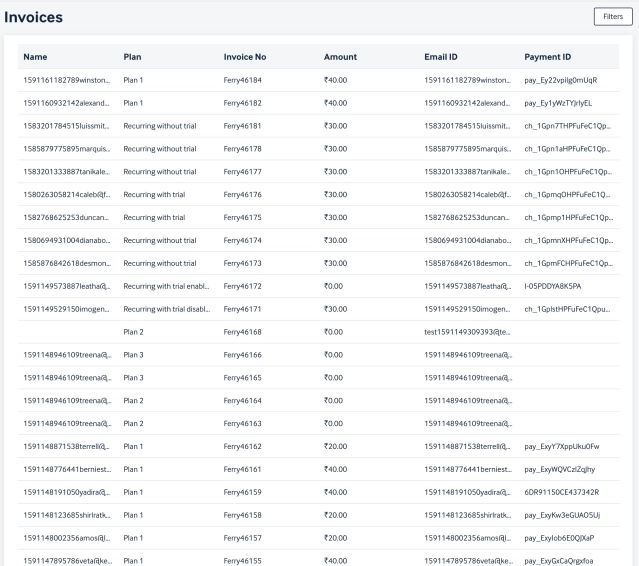
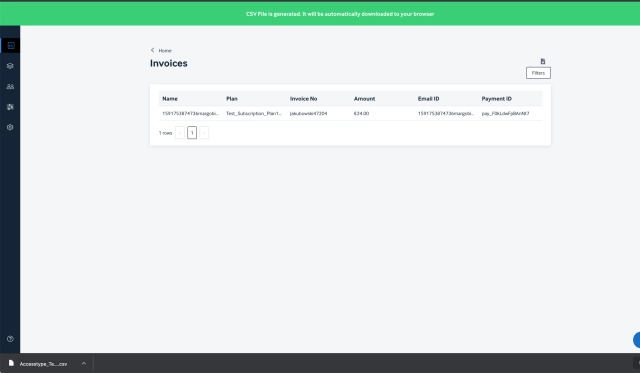
Introducing Invoice listing page.
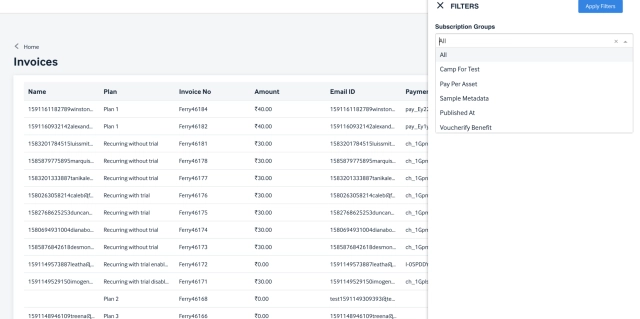
Select a specific group from the dropdown and apply them to see invoices against that group.
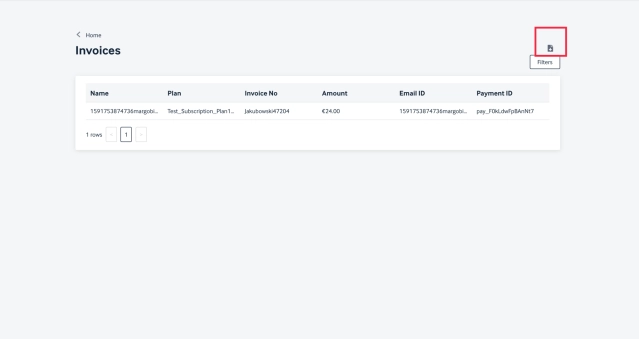
Users can download the report basis the filter applied by clicking on the 'Download' icon
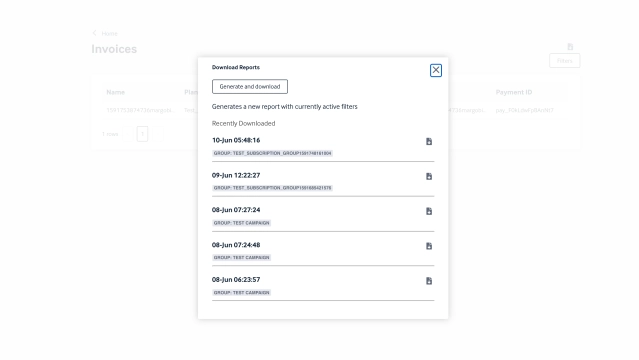
Upon clicking the download icon and selecting the "Generate & Download" option from the pop up, the reports gets generated and downloaded.
Users can also see the recently downloaded reports from this pop up and download them any number of times.
Once the report is generated users get a success message and the report will get auto downloaded into the browser.
Release Notes: MARCH 2019
What’s new
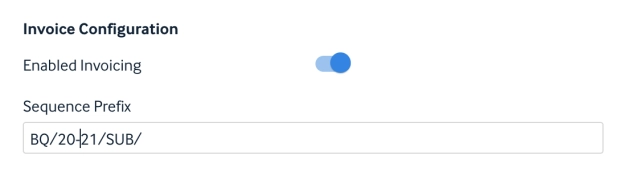
Reset Invoice sequence
A scheduled job has been introduced to reset invoice sequence and update its prefix for any account on 1st April 0000 hrs IST.
Modify Invoice payment mismatch alert
The new fix stops sending false alert for non generated invoice of a recurring subscription to the subscriber.
Release Notes: April 8th, 2025
Enhancement: Stripe Account-level Tax Integration.
Enabled support for Stripe's automatic tax for clients who opt in. This setup allows taxes to be calculated automatically in Stripe. No changes are required in the subscription creation flow. Also, we have addressed issues related to saving custom invoice configurations.
Note: To use Stripe's automatic tax, the account needs to be enabled from AccessType.
Release Notes: Feb 20th, 2025
Enhancement: VAT/GST Number Collection Based on Country
Users can now enter their VAT or GST number during the payment process on the frontend. For business purchases, upon selecting a subscription, a prompt will appear requesting tax information where applicable. This feature is tailored to specific countries for example, users in India will be prompted to enter their GST number, while users in other regions will be asked to provide the relevant VAT or tax identification based on their location.

